A trading platform your firm runs under its own name.
Xterminal gives forex brokers and proprietary trading firms a web terminal that works on a desk and on a phone, an Android app, and an operator console — with your spreads and your rules. The web terminal runs on your domain, in your colours, under your name.
You do not replace your website, your CRM or the price infrastructure you already operate. You put a platform on top of them.
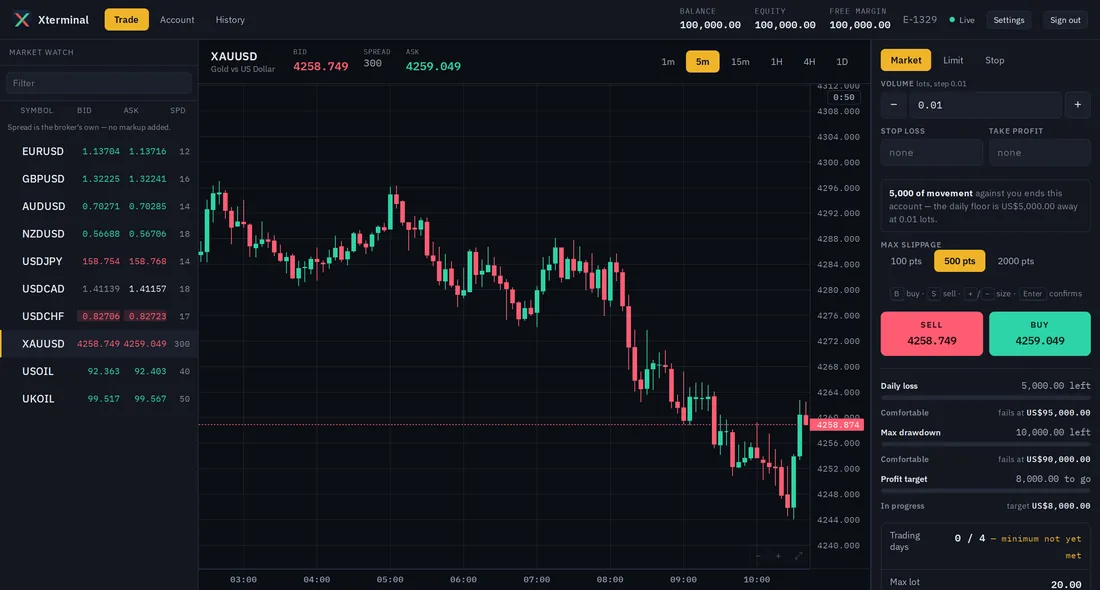
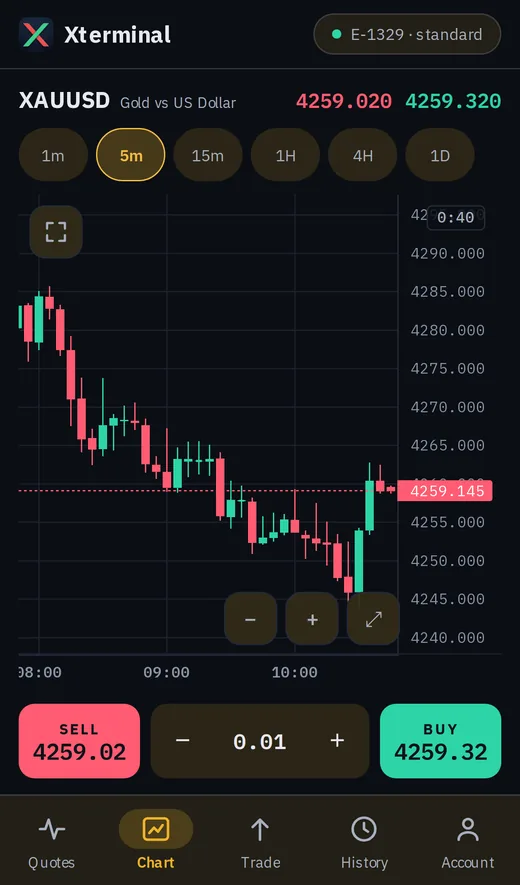
Ships with EURUSD GBPUSD AUDUSD NZDUSD USDJPY USDCAD USDCHF XAUUSD USOIL UKOIL
Xterminal is software, licensed to firms. We are not a broker and not a prop firm. We do not hold client funds, we do not open accounts for the public, and we are never the counterparty to your traders' orders.
Who it is for
Two kinds of firm, one platform.
The mode is a property of your firm's record — not a different product, and not a different price.
Proprietary trading firms
Evaluation and funded phases, profit targets, drawdown rules enforced on every tick, breach handling and payouts. The programmes you sell and the prices you sell them at stay under your control.
Retail brokers
Live accounts, your leverage and margin policy, your spread per account type, commission and swap, client money on your own books.
The web terminal
Trading in a browser. No download, no installer.
A trader opens a link and is trading. Nothing to install, nothing to update, nothing for your support desk to talk anyone through — and it works the same on a desk machine and a phone browser.
What a trader can do
- Live prices and charts for every instrument the account can trade, with your own price history behind them
- Market, limit and stop orders, placed from the chart or the ticket
- Stop-loss, take-profit, modify and partial close
- Positions, equity, free margin and margin level at a glance
- A full deal history, each closed trade with its numbers
- On a funded account: the daily allowance and drawdown floor, live
What your support desk stops hearing
- "Order failed." Every rejection carries a specific reason the terminal shows in words — not a code, not a shrug
- "Why was my account closed?" A breach screen names the rule that ended it, and when, to the second
- "I forgot my terminal password." There isn't one. Traders arrive signed in from your own site
- "It won't load on my phone." One responsive build, not a cut-down mobile version
The Android app · on Google Play
An Android app built for trading, and only trading.
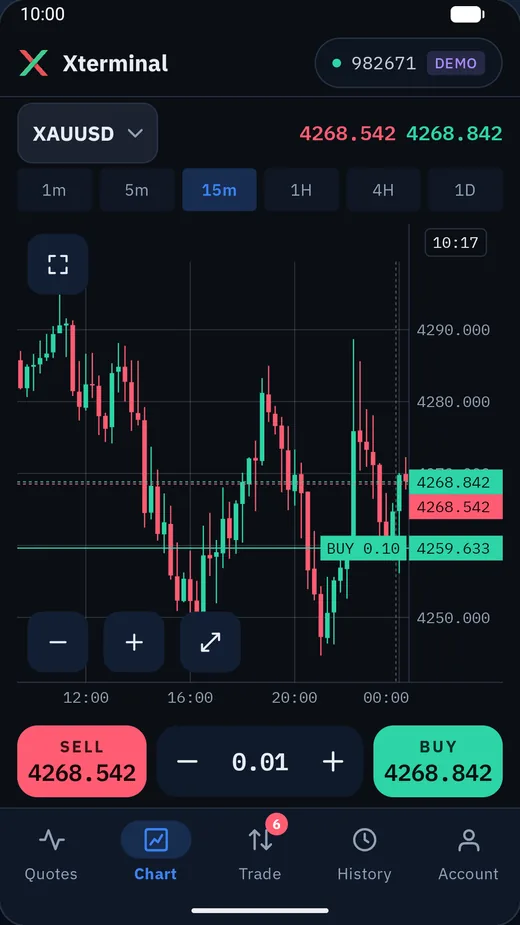
Your traders install Xterminal from Google Play, choose your server by name, and sign in with the account number and trading password you issue. One app serves every firm on the platform, and each trader sees only the accounts they hold with you.


What it does
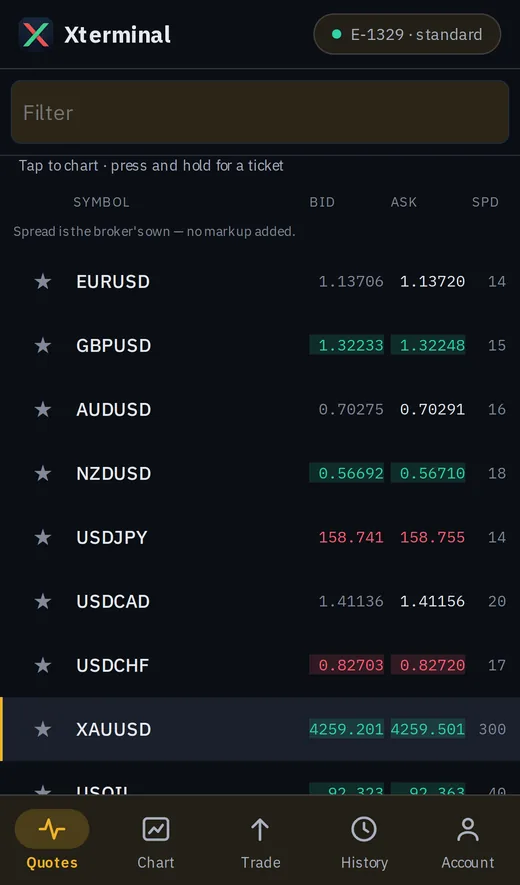
- Live prices from your server, with the day's change, high, low and spread on every row
- Charts from one minute to one day, with moving average, Bollinger Bands, RSI and MACD, and open positions and their stops drawn on the chart
- Market, limit and stop orders with stop loss and take profit, and the margin an order needs shown before it is sent
- Close all, only the winners or only the losers; close part of a position or move its stops
- On a funded account, daily loss, maximum drawdown and profit target as your risk engine reports them
- History by day, week or month, exported to CSV; several accounts, switched in a tap
Deliberately not doing
- No deposits, no withdrawals, no wallet. Money stays in the trader's dashboard on your site, and the server enforces that rather than trusting the app
- No password screen. Trading passwords are set on your site, where the rest of the account lives — the server refuses the app if it tries
- No account opening. A new account is opened with you
The app carries the Xterminal name. Your firm is the server your traders choose in it, listed under your own name.
The short version: the app is where a trader trades. Everything that is about money, identity or credentials stays on your site, under your control and your compliance process. That is a decision, not a gap.
How it works
Price in, order out, every rule in between.
Five stages between a price arriving and a trader seeing their position move. Each one is a place where platforms usually cut a corner.
Why this costs a fraction of building it
Market data is normalized once and priced many times — each firm applying its own spread on top of the same clean stream, seeing only its own accounts. You are not paying to run a pricing pipeline, a risk engine and a realtime gateway on your own; you are paying for your share of one that is already running and already proven. That is the whole economy of scale, and it is the one thing a single-tenant build can never reproduce.
Your desk
An operator console, separate from everything else.
Run the product
- Spreads per account type and instrument, edited live
- Programmes and products: phases, targets, drawdown mode, leverage, prices
- Payouts, with an approval trail
See the risk
- Live exposure across every account, so you see the book before it hurts
- Account inspection: positions, ledger, events
- Integrity checks and an append-only audit log of who changed what
Risk
Rules are evaluated on the tick, not on a timer.
An account that breaches at 14:32:07.4 is closed at 14:32:07.4. There is no window in which a breached account is still trading — and a drawdown rule evaluated on a schedule is a drawdown rule that can be beaten.
Four drawdown modes
Static, trailing on balance, trailing on equity, and trail-then-lock. Set per programme, not per deployment.
And the rest of the rulebook
Daily loss limits with your own reset time, maximum lot, maximum open positions, news windows and weekend rules.
The money
The part that is boring until the day it is not.
Integers, not floating point
Every monetary amount is an integer count of micros. No balance is ever accumulated in floating point.
The ledger cannot be rewritten
The database revokes update and delete on ledger entries, deals and account events from the application's own role. Append-only is enforced by the database, not promised by the code.
One order, one transaction
An order writes its order, position, deal and ledger rows together. There is no state in which a position exists but its commission was never charged.
Your data is separated by the database
Row-level security, with services connecting under a role that cannot bypass it. A forgotten condition in a query returns nothing — never another firm's accounts.
What stays yours
We are infrastructure. The relationship is yours.
Your brand
Your domain, your colours, your logo, your instrument list, your spreads, your rules. In the web terminal, nothing on the trader's screen has to say Xterminal.
Your website
Keep the site and CRM you have. A signed webhook opens an account when a customer pays — idempotent on your own order id, so a retry cannot create two. A single-use, sixty-second handoff signs a trader in from your dashboard, so they never get a second password.
Your customers' identity data
We do not run a sign-up page for your traders and we do not collect identity documents. Your customers register with you and verify with you. Passports and proofs of address never reach us — one fewer vendor for your compliance team to assess, and one fewer place a breach could happen.
Your price source
We connect to the infrastructure your firm already operates. What that connection looks like in practice is something we go through with you directly, once we know what you are running.
Scope
What ships today.
Stated plainly, because a limit found during integration costs more than a limit found on a website.
| Web terminal | Available. Responsive — one build for desk and phone browser. |
|---|---|
| Operator console | Available. Web. |
| Android app | Available on Google Play. One app for every firm on the platform; traders choose their firm's server in it. |
| iOS app | Not scheduled. |
| Modes | Proprietary trading firm and broker. |
| Instruments | Ten at launch: seven FX majors, gold, WTI and Brent. Adding one is configuration and a session calendar, not development. |
| Integration | REST API, signed webhooks in both directions, single sign-on handoff from your site. |
Tell us what your firm runs today.
The useful first conversation is a short one: whether you are running prop or broker, what your traders see now, and what your price setup looks like. We will tell you honestly whether this fits.